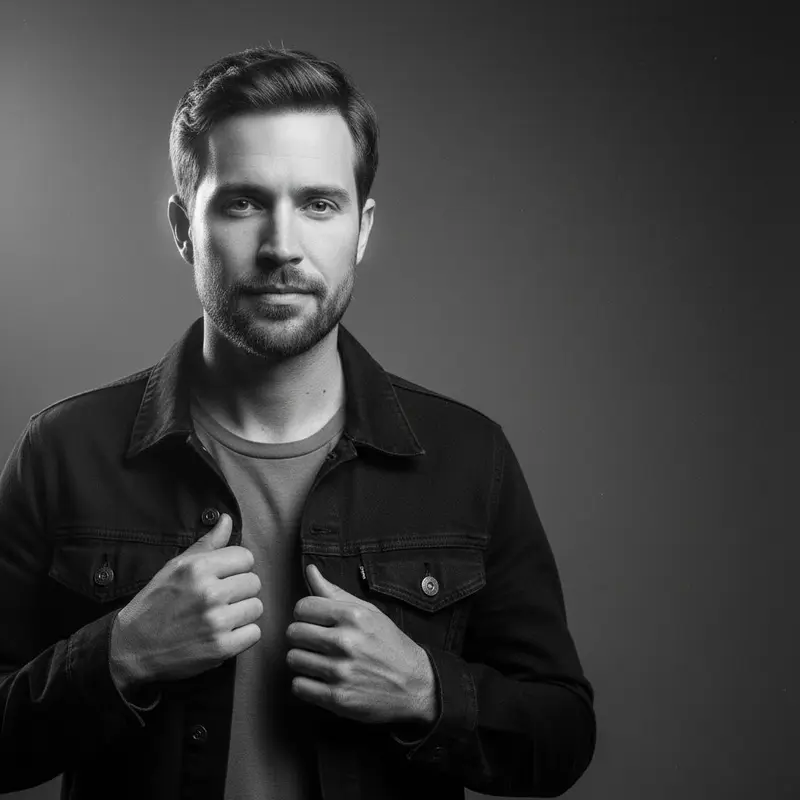
These LinkedIn prompts are built for the profile photo: a square, centered head-and-shoulders crop that survives the circle, a plain background and clothes that suit your industry. Add a sharp, front-facing photo, paste the prompt for your field and pick an image model; generate at 1:1, and use the last prompt for a matching banner.
Using my photo as the face reference, create a LinkedIn profile headshot cropped square with my face centered and a little space above my head so nothing is cut by a circular frame, a plain light grey background, a navy blazer over a white shirt, soft even light, a warm confident smile, eyes to camera.
02
Finance and banking
Create a finance-industry LinkedIn headshot of me in a charcoal suit with a white shirt and a subtle tie or a silk blouse, a plain blue-grey backdrop, crisp studio light with a soft shadow, a steady trustworthy expression, head-and-shoulders crop.
03
Law firm
Make a lawyer's LinkedIn headshot of me in a dark navy suit with a crisp collar, a plain warm-grey background, classic lighting with gentle defined shadows, a composed, serious but approachable look, centered square framing.
04
Software and tech
Create a tech-industry LinkedIn headshot of me in a plain crew-neck sweater or a casual button-down, a clean off-white background, soft natural-looking light, a relaxed genuine smile, a slightly looser head-and-shoulders crop that feels friendly rather than corporate.
05
Management consultant
Make a consultant's LinkedIn headshot of me in a light grey suit with an open collar or a tailored sheath dress, a plain soft-blue backdrop, bright even light, shoulders angled slightly with my face turned to camera, a sharp polished look with a slight smile, square crop.
06
Sales and business development
Create a sales professional's LinkedIn headshot of me in a smart blazer over an open-collar shirt, a plain white background, bright friendly light, a big approachable smile, leaning very slightly toward the camera, centered head-and-shoulders framing.
07
Designer
Make a designer's LinkedIn headshot of me in a black turtleneck or a solid mustard knit, a plain muted sage background, soft directional light, a calm creative expression, a square crop with clean negative space around my head.
08
Marketing with a color backdrop
Create a marketing professional's LinkedIn headshot of me against a plain backdrop in one confident color such as soft coral or teal, a simple neutral top under a blazer, even light, an energetic smile, centered framing that stands out among grey profile photos.
09
Engineer on site
Make a civil engineer's LinkedIn headshot of me in a crisp work shirt and a white safety helmet, a plain light grey background, even daylight-style light, a capable friendly expression, a head-and-shoulders crop with my face fully visible under the helmet brim.
10
Researcher and scientist
Create a scientist's LinkedIn headshot of me in a white lab coat over a smart shirt, a plain pale grey background, clean bright light, a thoughtful friendly expression, my usual glasses kept if I wear them, a centered square crop.
11
Recruiter and HR
Make a recruiter's LinkedIn headshot of me in a soft-colored blazer over a simple top, a plain warm beige background, gentle wrap-around light, an open welcoming smile, eyes to camera, framed from mid-chest up.
12
Graduate and first job
Create an entry-level LinkedIn headshot of me in a well-fitted dark blazer over a plain top, a clean white background, bright soft light, a fresh confident smile, simple and polished, a centered square crop that is ready to upload.
13
Senior executive on navy
Make a senior executive's LinkedIn headshot of me in a tailored dark suit, a plain deep navy background with a soft glow behind my head, refined studio lighting, a calm authoritative expression, a head-and-shoulders crop with room above my head.
14
Matching team style
Create a LinkedIn headshot of me in a consistent company style: a plain mid-grey backdrop, a soft key light from the left, a dark top, a chest-up crop with my eyes on the upper third and looking straight at the camera, so it sits evenly beside my colleagues' photos.
15
Profile banner
Create a wide banner image to sit behind my LinkedIn profile photo: a softly blurred bright workspace with plants and natural light, me standing on the right third in the same outfit as my headshot, the lower left kept empty because the profile photo covers it, calm muted colors.
Made in Luren AI
More linkedin headshot ideas to try
Real results from Luren AI's ready-made styles: open one to see how it was made, or use it with your own photo.
Your face filling most of the frame, eyes to camera, a plain uncluttered background and clothes you would actually wear to work in your field. The photo is shown as a small circle, so a tight, centered head-and-shoulders crop matters more than the scenery.
Which aspect ratio should I use for LinkedIn?
Generate the profile photo square (1:1) with your face centered, so the circle cuts nothing important. For the banner, use the widest ratio your model offers and keep the lower left empty, because the profile photo overlaps that corner.
Should my LinkedIn headshot look exactly like me?
Yes. People will meet you on calls and in person, so choose the result closest to how you look today, without changing your age, hairstyle or features. Light retouching is fine; a noticeably different face is not.
Paste it, add your photo, pick a model
Free to download on iPhone and Android. Pick a style, add one photo, and see yourself in it in under a minute.