
AI virtual staging: furnish and style a room from a photo
Decor Staging furnishes and restyles a room from a single photo. Pick the room type and a style, list the furniture, colors and lighting you want, note anything to avoid, and the app stages the room while keeping its architecture, windows and layout unchanged.
Download & claim your FREE AI generation
Updated
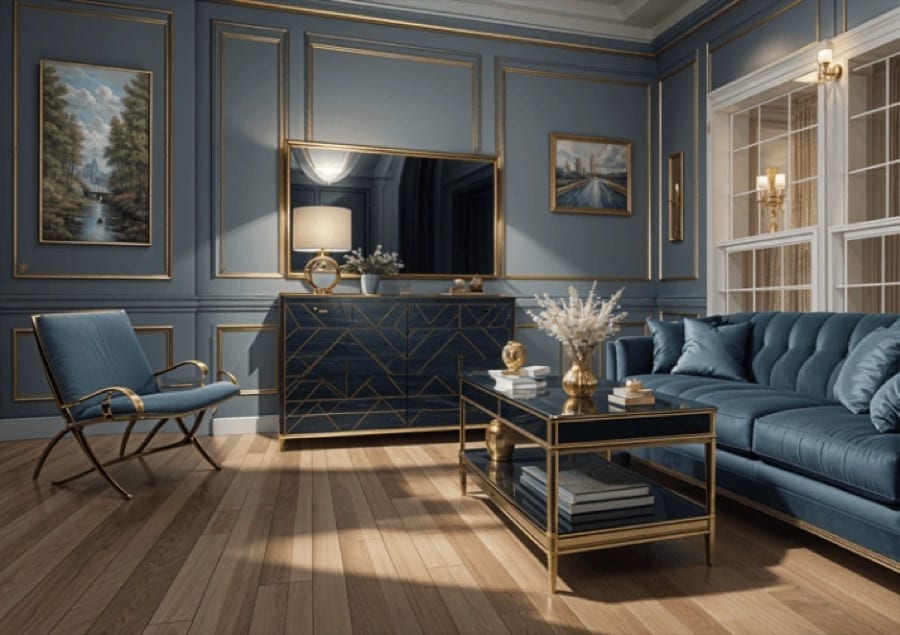
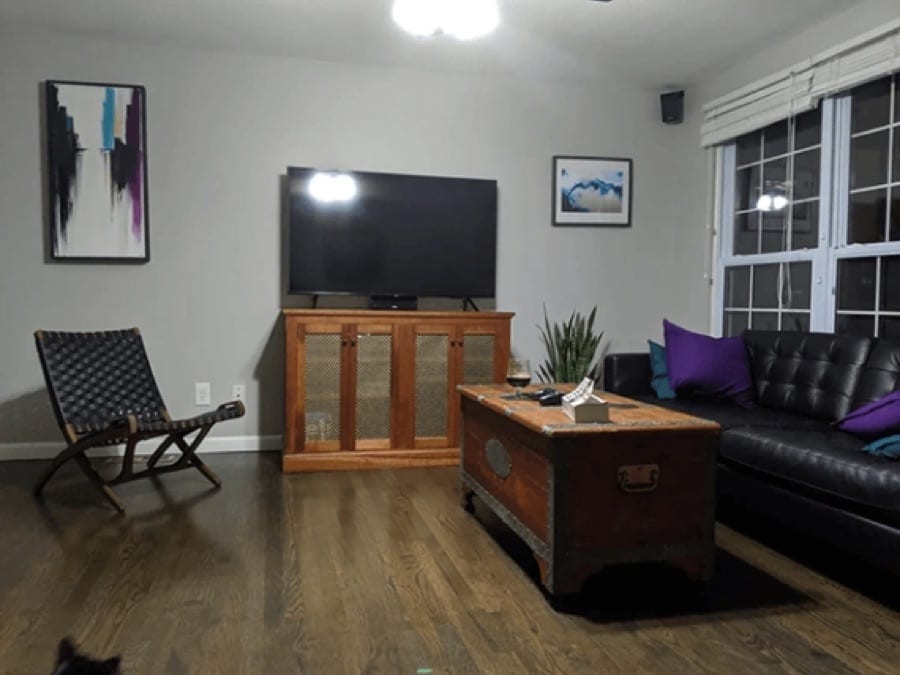 Before After
Virtual staging in three steps
- 1
Photograph the room
Empty or furnished, from a corner, in good light.
- 2
Choose the staging
Fill in the room type, style, furniture, colors, lighting and goal.
- 3
Use the result
Save the staged photo from History, or try another style on the same room.
Tips for great results
- Shoot wide from a corner at chest height so the floor and two walls are visible.
- Say what the room is for in the goal field, like 'a calm bedroom for a young couple'.
- Use the avoid field for what you do not want, such as rugs over the wood floor or clutter on counters.
- Label virtually staged photos as staged when you use them in a property listing.
What people use it for
- Property listings
- Rental and holiday home photos
- Showing buyers what a space could be
- Trying decor styles before moving in
Make UGC ads, or let the agent do it
Turn the same product photo into UGC-style ads and videos, or tell the Luren AI agent what you sell and it makes the shot.
More AI features
Virtual staging: questions
What is AI virtual staging?
Virtual staging adds furniture and decor to a photo of a room so viewers can picture it lived in. Decor Staging does it with AI from one photo, following the style, furniture, colors and lighting you choose.
Does it change the walls or windows?
It is instructed to keep the architecture, windows and layout as they are and to change only the furnishing and decor. Check the result anyway, since small details can still shift.
Can I use staged photos in a property listing?
Yes, the images are yours to use. Many markets expect virtually staged photos to be marked as staged, so label them and keep the original photo available.
Is AI virtual staging free?
Luren AI is free to download and try. After that, each staged photo is paid for with coins or a Pro subscription.












Try virtual staging in Luren AI
Free to download on iPhone and Android. Pick a style, add one photo, and see yourself in it in under a minute.
Download & claim your FREE AI generation