
Photo to pixel art: become a 16-bit game character
16-Bit Game Character turns a photo into retro pixel art. Add your photo, describe the character in a few words, and the app recreates it as a 16-bit video game hero standing in a level of a 2D platform game.
Download & claim your FREE AI generation
Updated
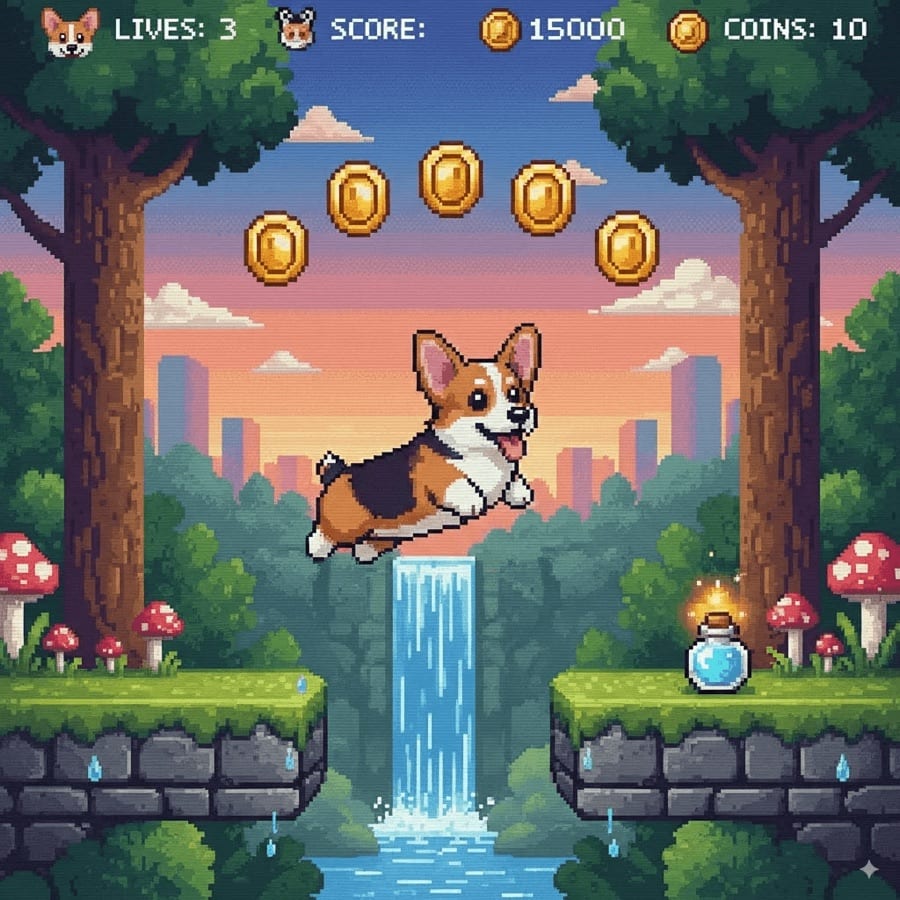
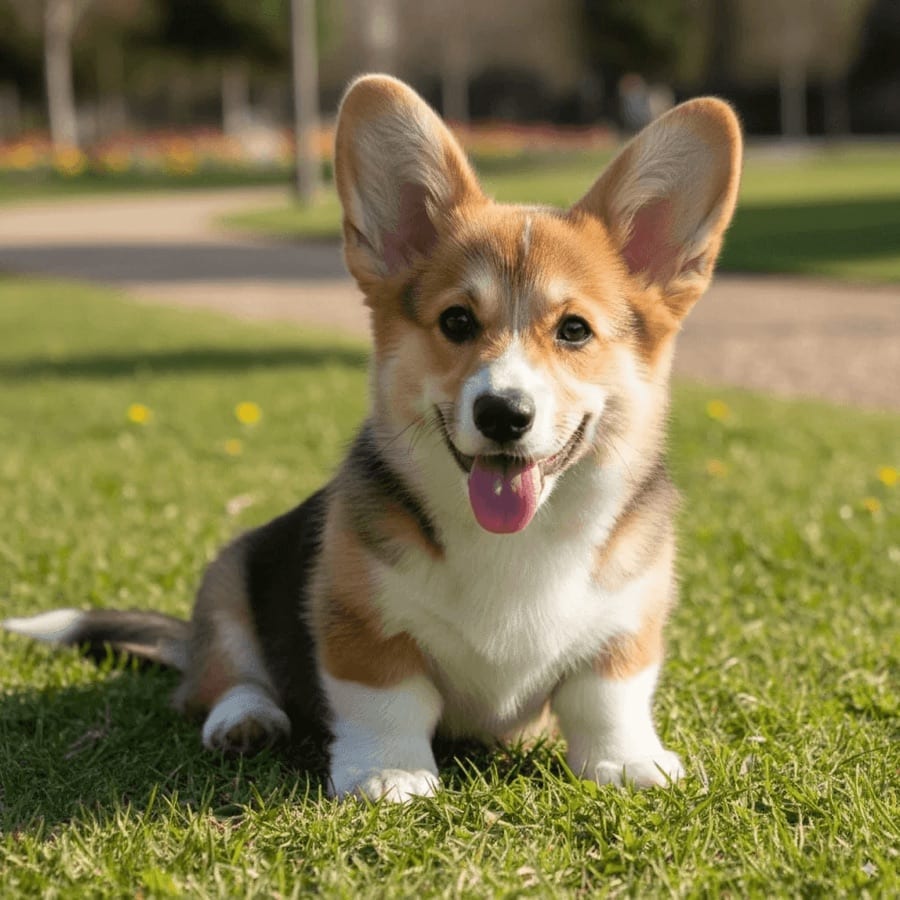 Before After
Photo to pixel art in three steps
- 1
Add a photo
A clear photo of yourself or a friend.
- 2
Name the character
Describe who is in the photo, such as 'a girl in a red jacket'.
- 3
Press start
Your pixel-art character arrives in History, ready to save and share.
Tips for great results
- Clothes in strong, simple colors read best once they are reduced to pixels.
- Full-body or half-body photos give the character more to work with than a tight face crop.
- Add a detail to the description, like 'with a skateboard' or 'in a wizard hat', to steer the character.
- Do not worry about the background, because the tool builds a game level around the character anyway.
What people use it for
- Retro avatars for gaming profiles
- Stream overlays and channel art
- Invitations for game nights and birthdays
- Gifts for friends who love retro games
More AI features
Photo to pixel art: questions
What does the 16-Bit Game Character tool make?
A pixel-art version of the person in your photo, drawn like a character from a 16-bit console game and placed in a level of a 2D platform game.
What should I type in the character field?
A short description of who is in the photo, such as 'a man with a beard and a green hoodie'. It helps the model keep the details that make the character recognizable.
Can I use the pixel art as a profile picture?
Yes. Save the image and crop it to a square in any photo editor; the pixel art you create is yours to use.
Is photo to pixel art free?
Luren AI is free to download and try. After that, each character is paid for with coins or a Pro subscription.












Try photo to pixel art in Luren AI
Free to download on iPhone and Android. Pick a style, add one photo, and see yourself in it in under a minute.
Download & claim your FREE AI generation