
AI background remover: cut out any subject in one tap
Remove Background isolates the subject of your photo and removes everything behind it. There is no prompt to write: add the photo, and the app returns a transparent PNG cut-out with soft edges, which helps hair and other fine details look natural.
Download & claim your FREE AI generation
Updated
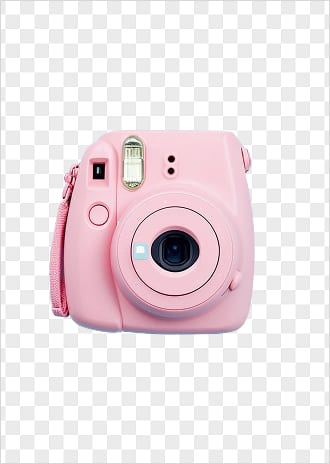
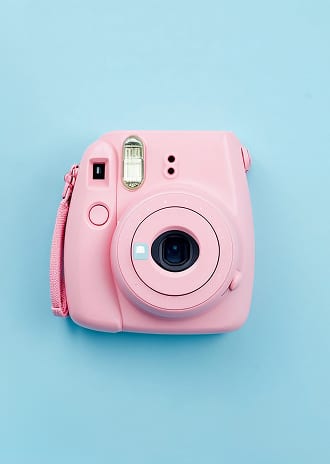 Before After
Background remover in three steps
- 1
Open Remove Background
Find it in Creative Tools in the Luren AI app.
- 2
Add a photo
Choose a photo with one clear main subject.
- 3
Save the cut-out
Your transparent image lands in History, ready to save and use.
Tips for great results
- Pick photos where the subject stands out from the background in color or brightness.
- Keep the whole subject in the frame, because anything cut off by the photo's edge stays cut off.
- Soft, even light gives cleaner edges than strong backlight.
- To put the subject into a new scene, stage it with AI Product Staging or place the cut-out in any design app.
What people use it for
- Product photos for online stores
- Stickers and collages
- Profile pictures on a clean backdrop
- Presentations and flyers
Make UGC ads, or let the agent do it
Turn the same product photo into UGC-style ads and videos, or tell the Luren AI agent what you sell and it makes the shot.
More AI features
Background remover: questions
How do I remove a background with AI?
Open Remove Background and add your photo. A dedicated background-removal model separates the subject from everything behind it, and the cut-out arrives in your History in under a minute.
Is the result a transparent PNG?
Yes. The cut-out is a PNG with a transparent background, so you can place it on any color or scene. Edges are kept soft, which helps hair and fine details look natural.
Which photos work best?
Photos with one clear subject that stands out from its background, like a person, a pet or a product. Very busy scenes, or subjects that blend into the background, can leave rougher edges.
Is the AI background remover free?
Luren AI is free to download and try. After that, each cut-out is paid for with coins or a Pro subscription.












Try background remover in Luren AI
Free to download on iPhone and Android. Pick a style, add one photo, and see yourself in it in under a minute.
Download & claim your FREE AI generation