These tech gadget prompts turn one photo of headphones, a speaker, a phone case, a charger or any other device into a sleek shot for a store, a launch or a review post. Upload a sharp photo with the ports and buttons visible, paste a prompt and pick an image model; each prompt keeps the design, finish and details exactly as they are.
Using my product photo as the reference, place the gadget on a clean wooden desk with a laptop, a desk lamp and a small plant, soft daylight from a window, a calm productive setup, the device's shape, finish, buttons and ports exactly as in my photo.
02
White rim light
Show my device on a matte black surface with a soft white rim light tracing its edges, a deep charcoal background, a precise premium launch look, a three-quarter angle, the design unchanged.
03
In hand on the street
Show a hand holding my gadget on a busy city street, the background softly blurred, bright overcast daylight, a natural everyday-use moment, the device at its real size and exactly as in my photo.
04
Headphones and records
Show my headphones worn by a person relaxing in a cozy room with a record player and warm lamp light, eyes closed, a calm listening mood, the headphones' shape, color and finish exactly as in my photo.
05
Travel tech kit
Make an overhead flat lay of my gadget in a travel tech kit with a zip case, coiled cables, a passport and earbuds on dark felt, soft even light, an organized travel mood, the device exactly as in my photo.
06
Floating on light grey
Show my gadget floating at a slight angle above a light grey surface with a soft shadow beneath, bright even studio light, a clean modern look, every button and port exactly as in my photo.
07
Campsite at dusk
Place my gadget on a flat rock at a campsite at dusk, a glowing tent and a few trees behind, warm lantern light, a rugged outdoor mood, the device exactly as in my photo.
08
Bedside charging
Show my charger plugged in on a bedside table at night with a phone resting on it, a soft lamp glow and dark blue room tones, a quiet end-of-day mood, the charger and cable exactly as in my photo.
09
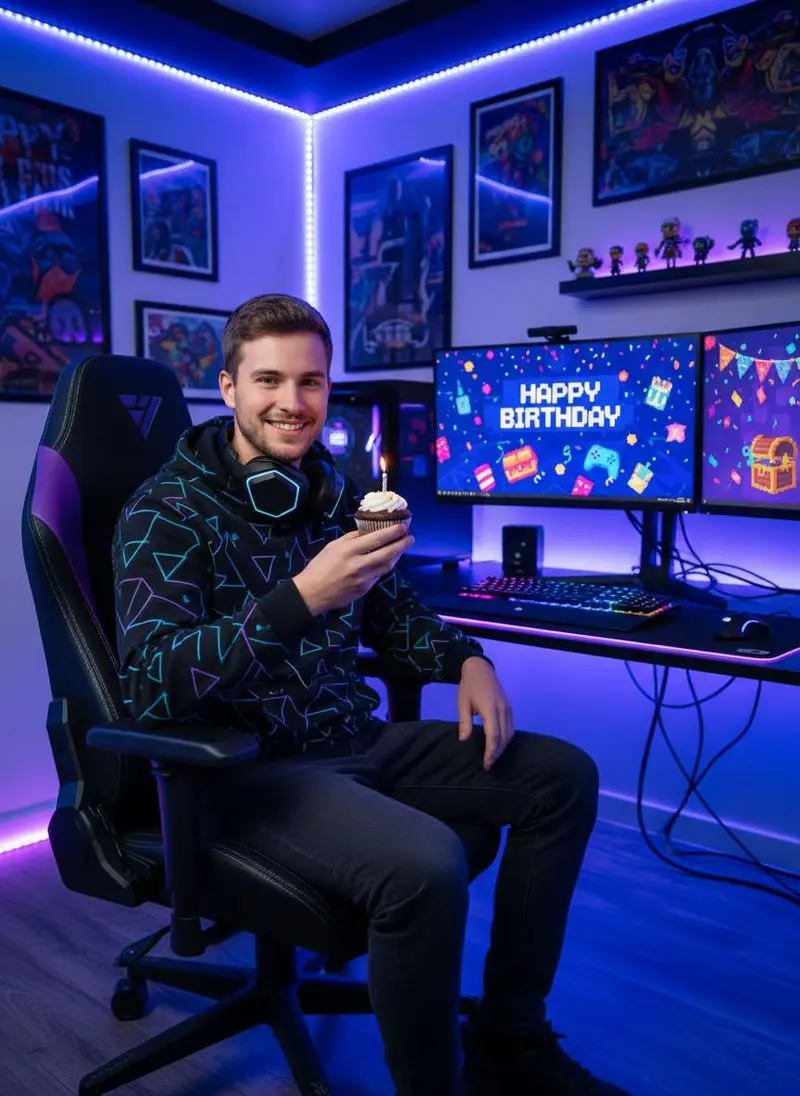
Gaming desk glow
Place my gadget on a gaming desk with a keyboard and a monitor glowing behind it, soft warm and violet ambient light, a focused late-night mood, the device's finish and details exactly as in my photo.
10
Light rain, if it's water-resistant
If my device is water-resistant, show it on a wet stone ledge in light rain with droplets beading on its surface, cool blue light, a tough everyday mood, the device exactly as in my photo.
11
Lifted from the box
Show my gadget being lifted out of its open box by two hands on a clean desk, soft daylight, a satisfying unboxing moment, the device and its box exactly as in my photos.
12
Next to keys and a phone
Show my gadget next to a phone and a set of keys on a light surface so its size is clear, an overhead angle, soft even light, everything at true scale, the device exactly as in my photo.
13
Catalogue on white
Create a clean catalogue image of my device on a pure white background at a three-quarter angle, soft even light with a faint shadow, crisp edges and accurate finish, the device exactly as in my photo.
14
Café workday
Show my gadget on a café table beside a laptop and a cup of coffee, warm daylight and a softly blurred room behind, a mobile-work mood, the device exactly as in my photo.
15
Texture and ports macro
Take a macro shot of my device's textured finish and ports, raking side light that shows the material, a dark background, a precise engineering feel, every detail exactly as in my photo.
Made in Luren AI
More tech gadget photo ideas to try
Real results from Luren AI's ready-made styles: open one to see how it was made, or use it with your own photo.
Use soft, diffused daylight and angle the device so it does not reflect your phone or the room. Wipe off fingerprints and dust first, because the model treats smudges as part of the surface.
Can the AI add features my gadget does not have?
It can, if you let it: extra ports, lights, a different screen or a bigger size. Each prompt asks for the device exactly as in your photo; check the result, and do not show features, water or uses the real product does not support.
Should the screen be on or off?
A dark screen is the safest reference. If you want the screen to show something, add your own screenshot later in an editor, since models can invent interfaces and text that look nothing like your product.
Paste it, add your photo, pick a model
Free to download on iPhone and Android. Pick a style, add one photo, and see yourself in it in under a minute.