These sticker prompts turn one photo of you into stickers to share in chats or print: a die-cut portrait with a thick white border, a grid of emoji-style reactions, a glossy holographic badge. Add a clear photo of your face, paste a prompt and pick an image model; each prompt asks for a plain background and a clean outline, so every sticker cuts out easily.
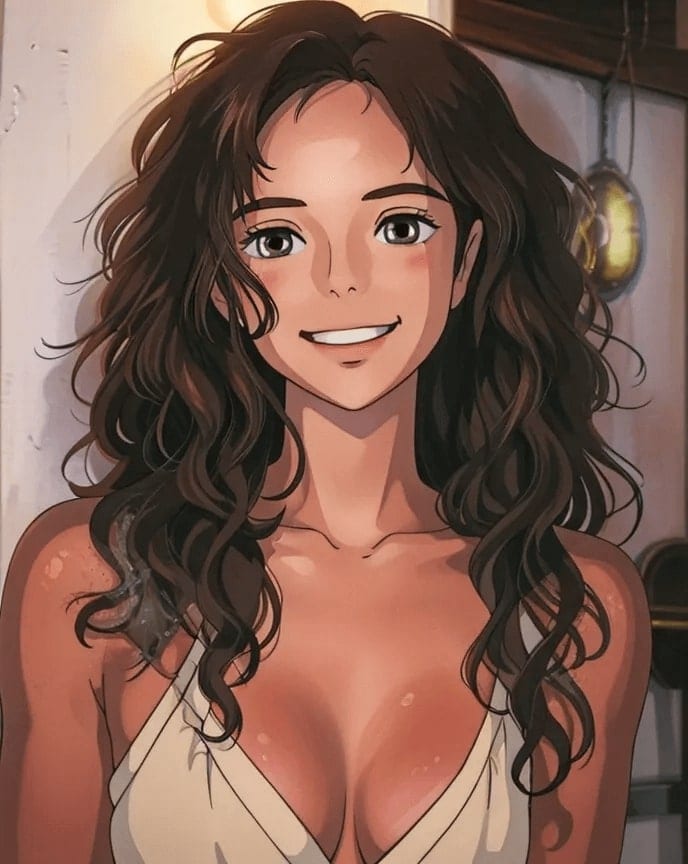
Using my photo as the face reference, turn me into a die-cut sticker, a clean cartoon illustration of my head and shoulders with a thick white border, bold outlines and flat bright colors, a big smile, on a plain light grey background.
02
Reaction set
Create a set of nine sticker reactions of me in a 3x3 grid: thumbs up, laughing, facepalm, heart hands, shocked, sleepy, thinking, celebrating and eye-roll, each with a white border and my hairstyle, on a plain white background.
03
Holographic sticker
Make a holographic sticker of me as a cute cartoon character, a rainbow shimmer across the surface, star sparkles around me, a thick white die-cut edge, photographed on a desk at an angle so the foil catches the light.
04
Vintage travel badge
Turn me into a round vintage-style travel sticker, a cartoon of me in a sun hat in front of mountains and a lake, faded retro colors and a textured print look, a cream border, no text.
05
Strawberry milk kawaii
Make a kawaii sticker of me peeking out of a giant strawberry milk carton, rosy cheeks and sparkling eyes, pastel pink and white, a glossy finish and a thick white outline.
06
Laptop lid mockup
Show a vinyl sticker of me as a cool cartoon character in sunglasses stuck on a laptop lid among other colorful stickers, one corner slightly peeling, natural desk light, a photo-realistic mockup.
07
Pet party sticker
Turn my dog or cat into a cute cartoon sticker wearing a tiny party hat, big shiny eyes and a happy open mouth, confetti dots around, a thick white border on a plain background, its markings kept true to my photo.
08
Flex sticker
Create a sticker of me as a tiny cartoon flexing one arm, a sparkly starburst behind me, bright yellow and orange colors, a glossy die-cut finish with a white border, a determined grin.
09
Matching couple stickers
Using our photo, make a matching pair of stickers of me and my partner as cute cartoons, each holding half of a heart, soft pastel colors, thick white borders, on a plain background.
10
Everyday sticker sheet
Design a sticker sheet of me doing everyday things: drinking coffee, working on a laptop, walking a dog, reading in bed and dancing, each a separate cartoon sticker with a white border, laid out on a light pastel sheet.
11
Puffy 90s sticker
Turn me into a puffy 90s-style sticker, a glossy raised cartoon of me in rainbow colors with smiley faces and lightning bolts around, on a bright neon backing card, a nostalgic toy-shop feel.
12
Birthday sticker
Make a birthday sticker of me as a cheerful cartoon in a party hat blowing a paper noisemaker, confetti and balloons around me, bright candy colors, a thick white border, my face clearly recognizable.
13
Minimal line sticker
Make a minimalist line-art sticker of my face, one continuous black line with a single soft color blob behind it, a clean white die-cut border, modern and simple yet still clearly me.
14
Anime wink sticker
Turn me into an anime-style sticker giving a peace sign and a wink, a small heart floating beside me, cel shading and bold outlines, a thick white border, on a plain background.
15
Water bottle adventurer
Show a matte sticker of me as a cartoon adventurer with a hiking hat and backpack on a reusable water bottle, simple mountain shapes behind me, the bottle on a rock outdoors in bright daylight, a realistic product photo.
Made in Luren AI
More sticker photo ideas to try
Real results from Luren AI's ready-made styles: open one to see how it was made, or use it with your own photo.
How do I make a sticker with a transparent background?
Ask for a plain single-color background and a thick white border; image models usually return a solid background rather than true transparency. Then remove the background with any background removal tool before you print or upload it.
Can I use AI stickers in messaging apps?
Yes. Most messaging apps let you make custom stickers from your own images. Crop each one square, remove the background and keep the outline thick enough to read at small sizes.
What makes a sticker look good when printed?
Bold outlines, flat bright colors, a simple pose and a thick white die-cut border. Fine details and soft gradients get lost at small sizes, so keep the design chunky and generate at the highest resolution available.
Paste it, add your photo, pick a model
Free to download on iPhone and Android. Pick a style, add one photo, and see yourself in it in under a minute.